Table of Contents
Introduction
You buy a new phone and quickly discover it has no headphone jack. The earphones you have relied on for years no longer work. You look online, order a cheap pair of earphones labeled “Type C,” plug them in, and nothing happens. No sound, no mic, and the return window is about to expire. This is common because not all USB-C earphones work with every phone.
The good news is that with a few basics, you can easily avoid this problem. Type C headphones with mic are a great option for clear calls, consistent sound, and no charging or pairing. They are great for students in online classes, professionals who make daily calls, gamers who want clear team chats, and anyone who likes to listen to music on the go.
But choosing the right pair can be confusing. Some have a built-in DAC, while others don’t. Some come with inline mics, and some use boom mics. Some models work on Android but not on laptops or iPhones. Prices can range from a few hundred to several thousand rupees, and higher prices don’t always mean better quality.
This guide will explain everything in simple terms. You will learn:
- How USB-C headphones work and why compatibility is important
- What are the main types of headphones, from earbuds to gaming headsets
- How wired USB-C differs from Bluetooth
- A 7-point checklist to review before buying
- How to choose the right pair for your budget and daily routine
- Quick fixes for common problems like no sound or a non-working mic
What are Type C headphones with a mic?
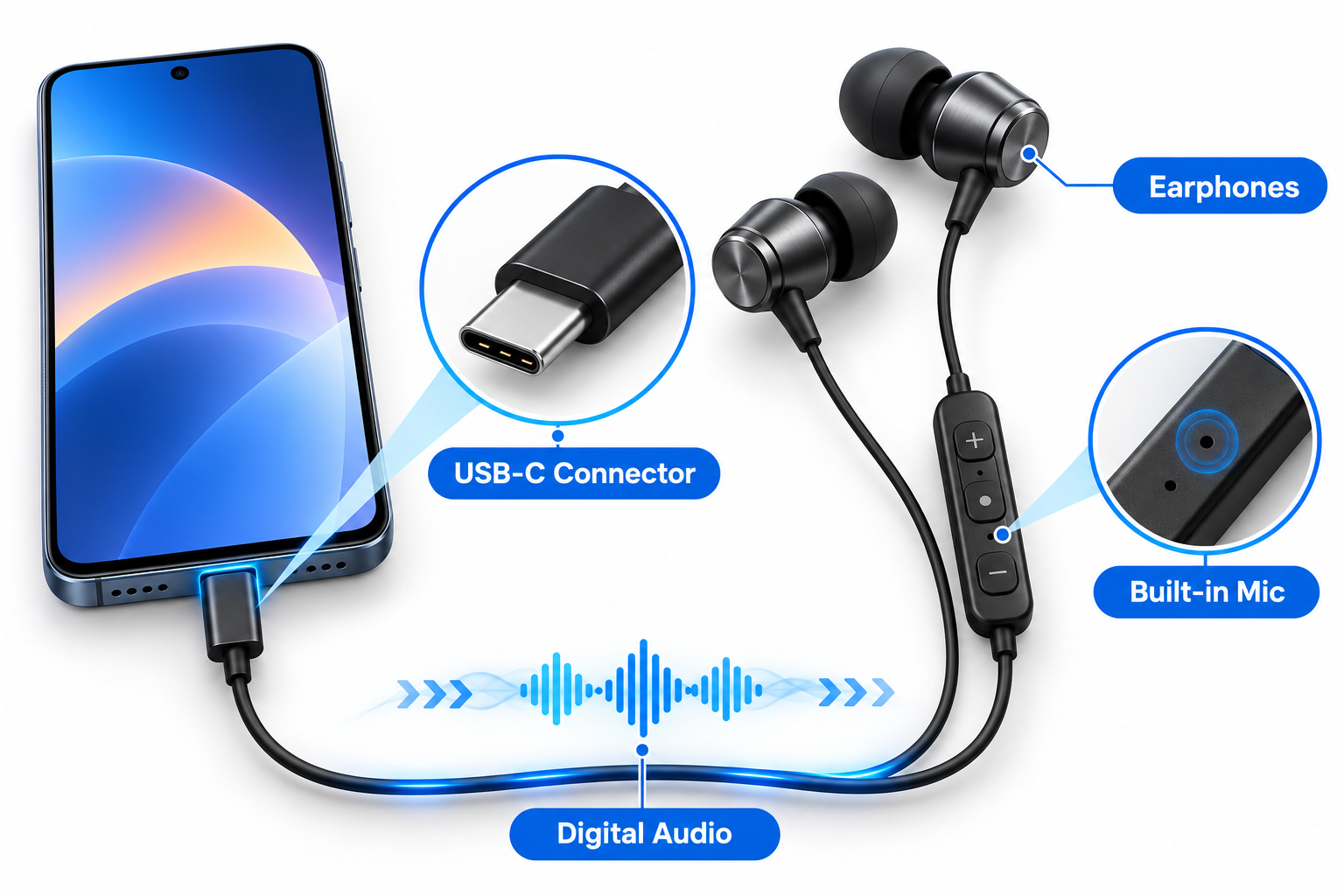
Type C headphones with mic are headphones or earphones that connect to your device’s USB-C port instead of the standard 3.5mm audio jack. They transmit sound digitally and have a built-in microphone for calls, voice notes, gaming chats, and video meetings.
Most new Android phones, tablets, and many laptops no longer have a 3.5mm jack, so USB-C is now the standard for wired audio. Just plug them in, and they’re usually ready to use immediately, without pairing, charging, or battery drain.
How do USB-C headphones actually work?
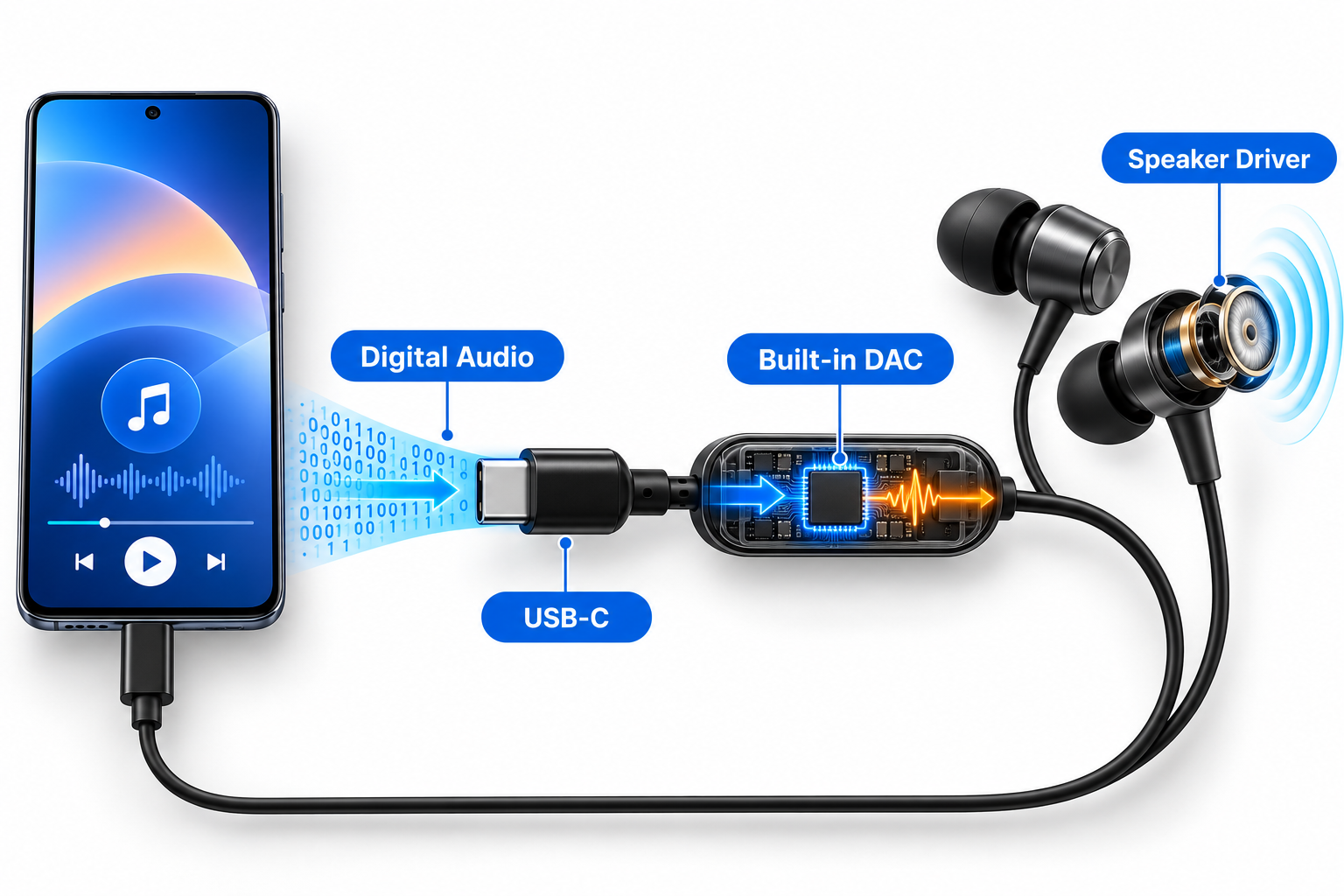
A 3.5mm jack sends an analog signal, so your phone’s internal converter manages audio quality. With USB-C, a small chip inside the earphones or cable called a DAC (digital-to-analog converter) handles this conversion. The phone sends digital data, and the headphones convert it into sound.
This setup has a practical advantage. Because the audio chip is inside the headphones, sound quality doesn’t depend on your phone’s hardware. A good pair of headphones can sound better than even a basic headphone jack on an inexpensive phone.
Some headphones don’t have a DAC and use a passthrough design, relying on the phone’s own converter. These only work with phones that support analog audio over USB-C, which is rare these days. Therefore, headphones that work on one phone may not work at all on another.
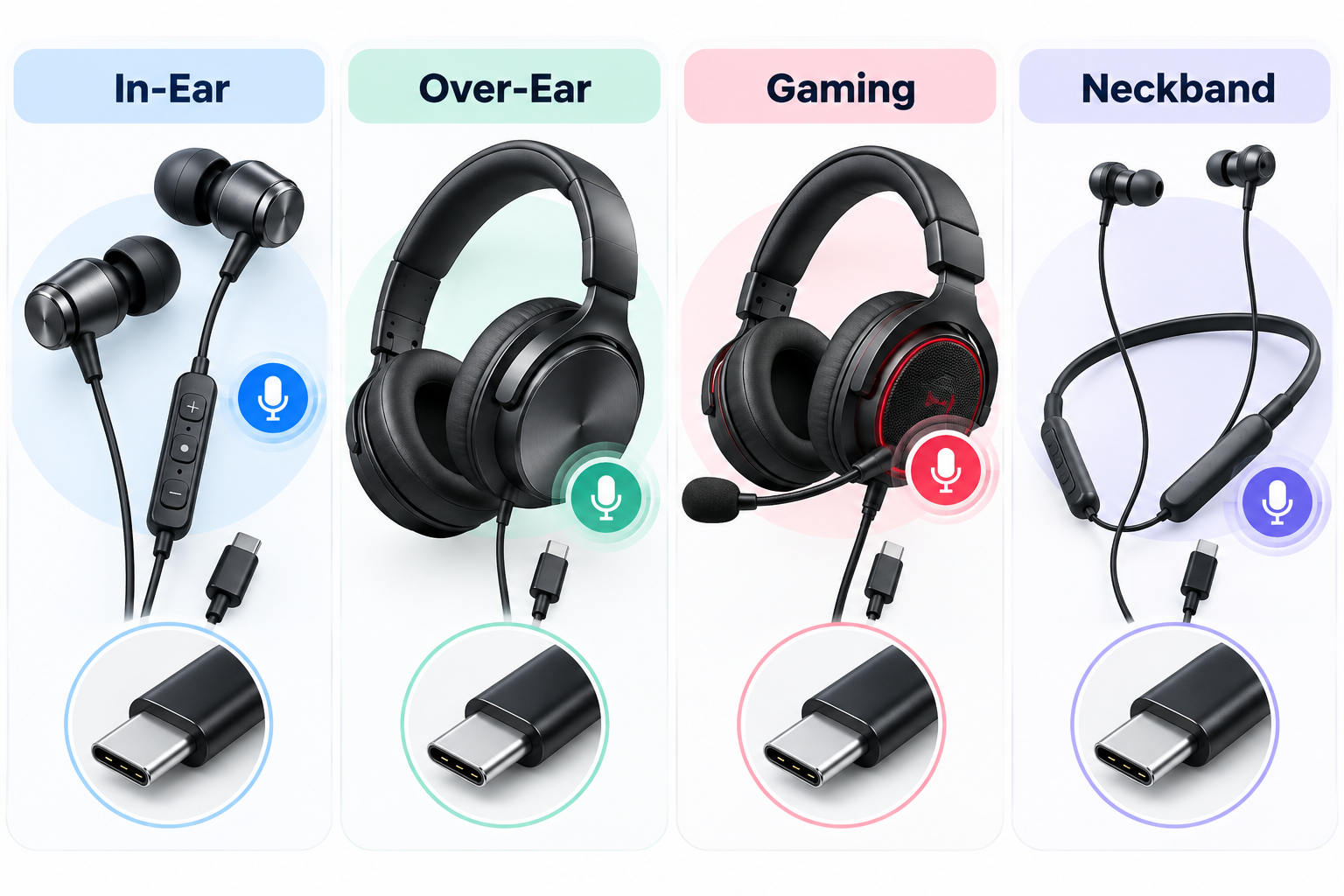
Types of Type C Headphones with Mic
In-Ear Earphones (Earbuds)
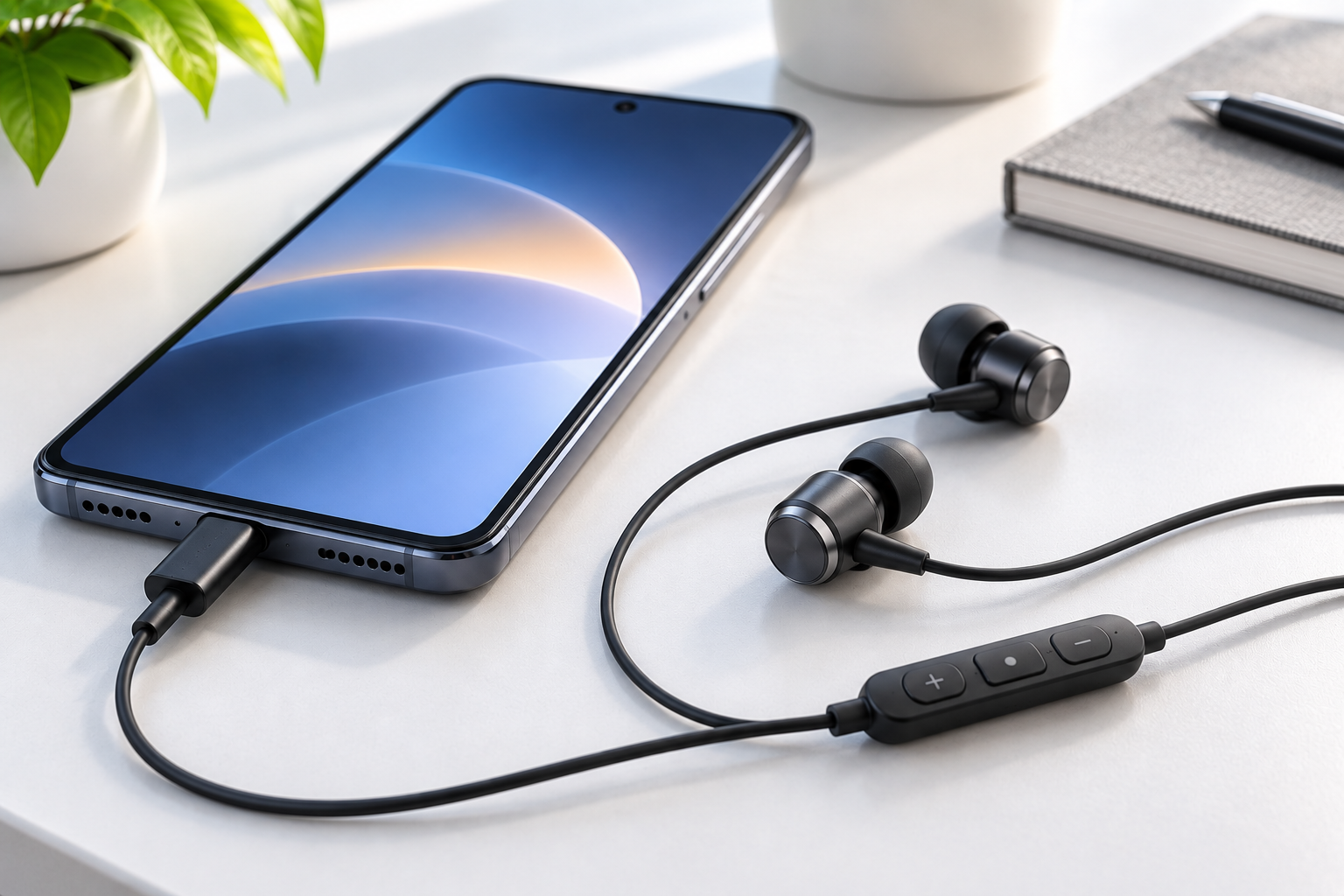
These earphones are popular and affordable. They are lightweight, easy to carry, and include an inline remote to adjust volume, skip tracks, and answer calls. They are a good choice for commuters and students who prefer something simple.
Over-Ear and On-Ear Headphones
These headphones sit over your ears. They usually have larger drivers, offer better bass, and feel more comfortable during long listening sessions. They are a good choice if you work from home, join long calls, or enjoy listening for hours.
Gaming Headsets
Gaming headsets usually come with a boom microphone that picks up your voice more clearly than an inline mic. If you play BGMI or other online games on your phone, a USB-C gaming headset helps you communicate clearly with your team and keeps audio delay low.
USB-C Neckbands and Hybrid Options
Some neckbands use a USB-C connection for wired listening or charging. Check the product page to confirm the audio works through the cable.
Wired USB-C vs Bluetooth: Which Should You Choose?
| Feature | Wired Type C Headphones with Mic | Bluetooth Headphones |
|---|---|---|
| Battery needed | No (powered by phone) | Yes |
| Audio delay | Very low | Low to moderate |
| Call mic clarity | Consistent | Varies by model |
| Sound quality | Stable, not affected by compression | Depends on codec |
| Price for similar quality | Generally lower | Generally higher |
| Convenience | Cable can tangle | Fully wireless |
| Compatibility | Needs USB-C port and DAC support | Works with almost any phone |
If you want a steady sound, a quick response for gaming, and don’t want to worry about charging, wired headphones are a good choice. If you’re often on the go or dislike cables, Bluetooth might work better. Many people use both types.
What to Check Before Buying Type-C Headphones with a Mic
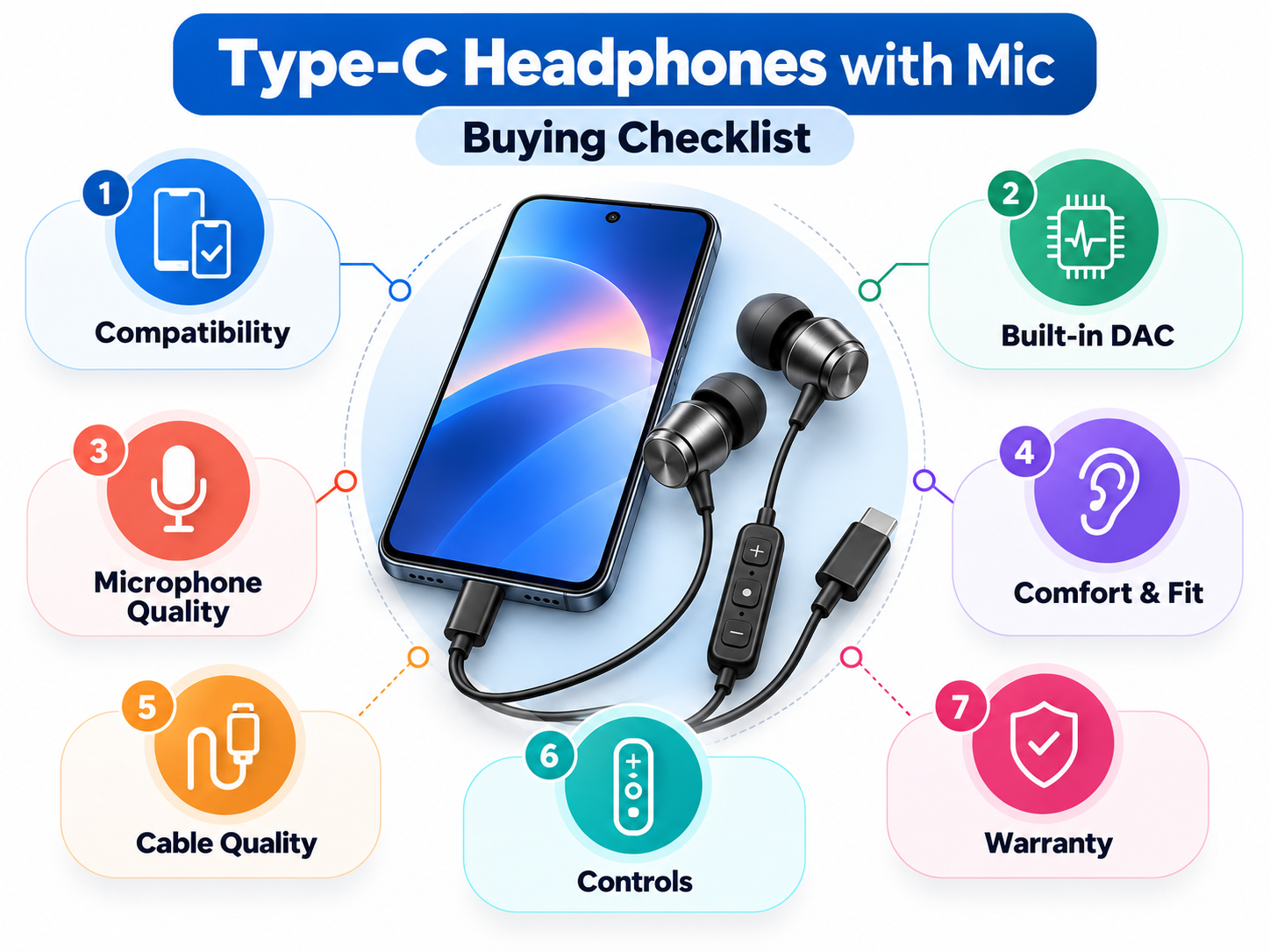
This section can help you avoid having to return your purchase. Be sure to check this list before purchasing.
1. Compatibility with Your Device
This is the most important step. Make sure the headphones work with your phone brand and model. Some USB-C earphones work with Android phones, but some may not work with laptops or iPhones. iPhone 15 and newer models use USB-C, but many products made for Android may not be fully compatible. The best way to check is to read the compatibility list on the product page and review reviews from people who have the same phone as you.
2. Built-in DAC and Audio Chip
Headphones with built-in DACs can connect to more devices and often deliver clearer sound. Look for terms like “built-in DAC” or “digital audio” in the specs.
3. Microphone Quality
Just because headphones have a microphone doesn’t mean they are of good quality. Check noise reduction and read reviews from people who have used them for calls. Inline microphones work for casual calls, but for meetings or gaming, a boom microphone is usually better.
4. Comfort and Fit
If you wear headphones for hours, comfort matters. For earbuds, make sure they have different ear tip sizes. For over-ear headphones, check the weight and padding.
5. Cable Quality and Length
Braided cables typically last longer than thin rubber cables. Most cables are about 1.2 to 1.5 meters long, which is good for carrying in your pocket. If you use the headphones at a desk, a longer cable may be better.
6. Controls and Extra Features
Inline buttons for volume, play/pause, and answering calls make things much easier. Some headphones also offer active noise cancellation, but this feature is usually found in more expensive models.
7. Price and Warranty
Very cheap, unbranded headphones often have poor microphones and don’t last long. It’s worth paying a little more for a trusted brand with a solid warranty. In India, local service support is especially helpful if you run into problems.
How to Choose the Best Type-C Headphones with a Mic for You
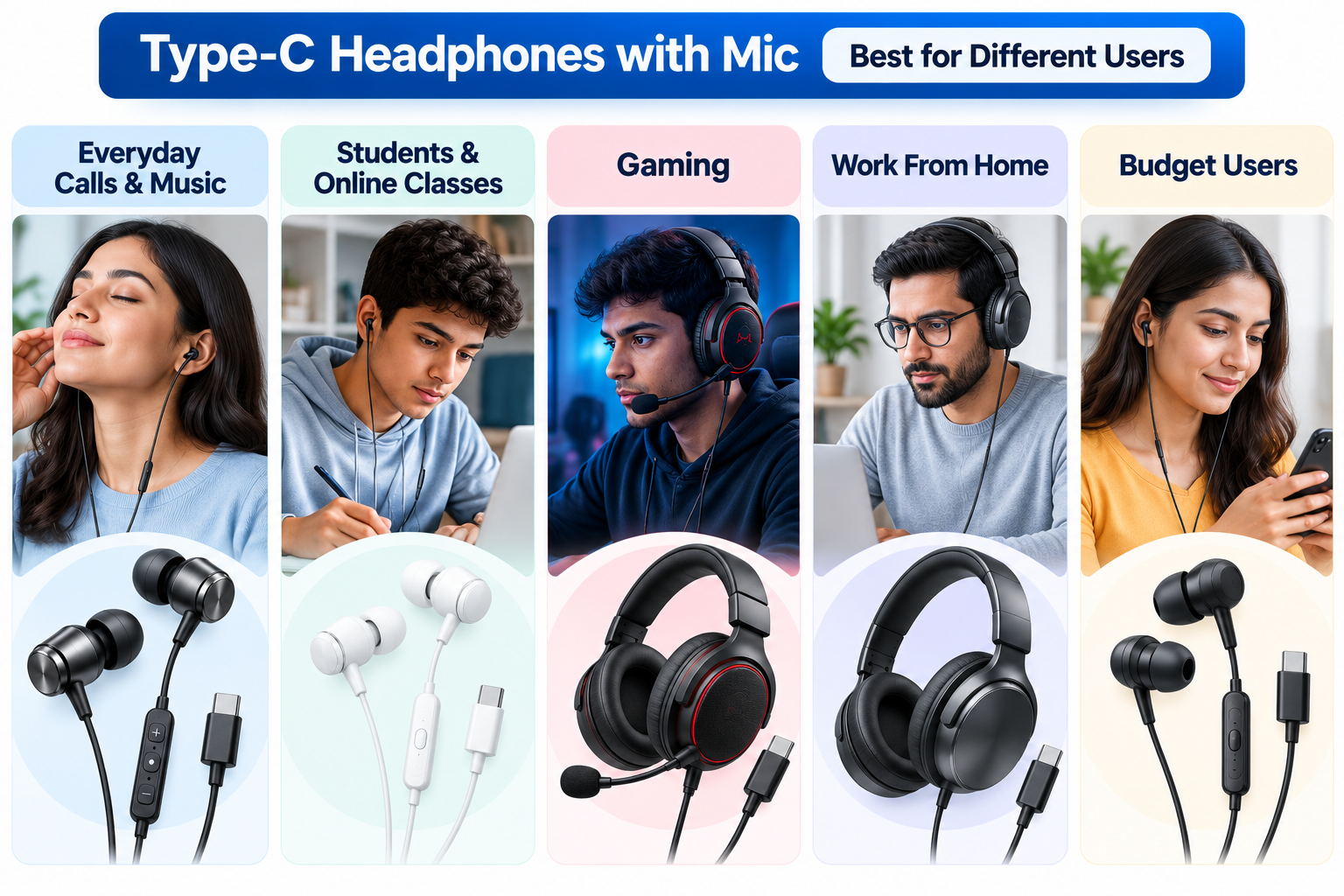
The best Type C headphones with a mic depend on how you’ll use them, so here’s an easy way to decide:
For everyday calls and music: A simple in-ear pair with a clear inline mic and a built-in DAC.
For students and online classes: A lightweight, comfortable pair with clear mic quality so your voice is heard without repetition.
For gaming: A headset with a boom mic, low latency, and a comfortable headband.
For long work-from-home days: Over-ear headphones with soft padding and a noise-canceling mic.
For those on a budget: Basic USB-C earphones from a trusted brand, not a pair that will break down within a few weeks.
First, choose a pair based on your use case, then compare prices.
Best Type C Headphones with Mic in India (2026)
1. pTron Boom Play X6 (Type-C) – Best for Daily Calls and Music
Type: In-ear | Mic: Inline with controls | Built-in DAC: [Confirm Yes/No on listing]
Pros: 14mm driver, braided cable, S/M/L ear tips included
Cons: Works only with Type-C devices, so it won’t plug into laptops or phones that use a 3.5mm jack
Why we like it: A good fit for everyday calls and music on a budget. The braided cable adds durability, and the three ear tip sizes make it easier to find a comfortable fit.
2. Zebronics Buds C12 (Type-C) – Best for Features
Type: In-ear (magnetic earbuds) | Mic: Inline with volume control | Built-in DAC: [Confirm Yes/No on listing]
Pros: Magnetic earbuds, metallic build, inline volume control
Cons: May cost a little more than basic Type-C earphones
Why we like it: Practical for people on the move. The magnetic earbuds stay together around your neck, which helps reduce tangling, and the inline volume control is handy during calls.
3. EVM HF-06 (Type-C) – Best Budget Pick
Type: In-ear | Mic: Inline | Built-in DAC: [Confirm Yes/No on listing]
Pros: 14.2mm driver, very low price, Type-C connector
Cons: Lesser-known brand, so check reviews and warranty before buying
Why we like it: A low-cost option for anyone who just needs a simple backup pair for calls and music without spending much.
Common Problems and How to Fix Them
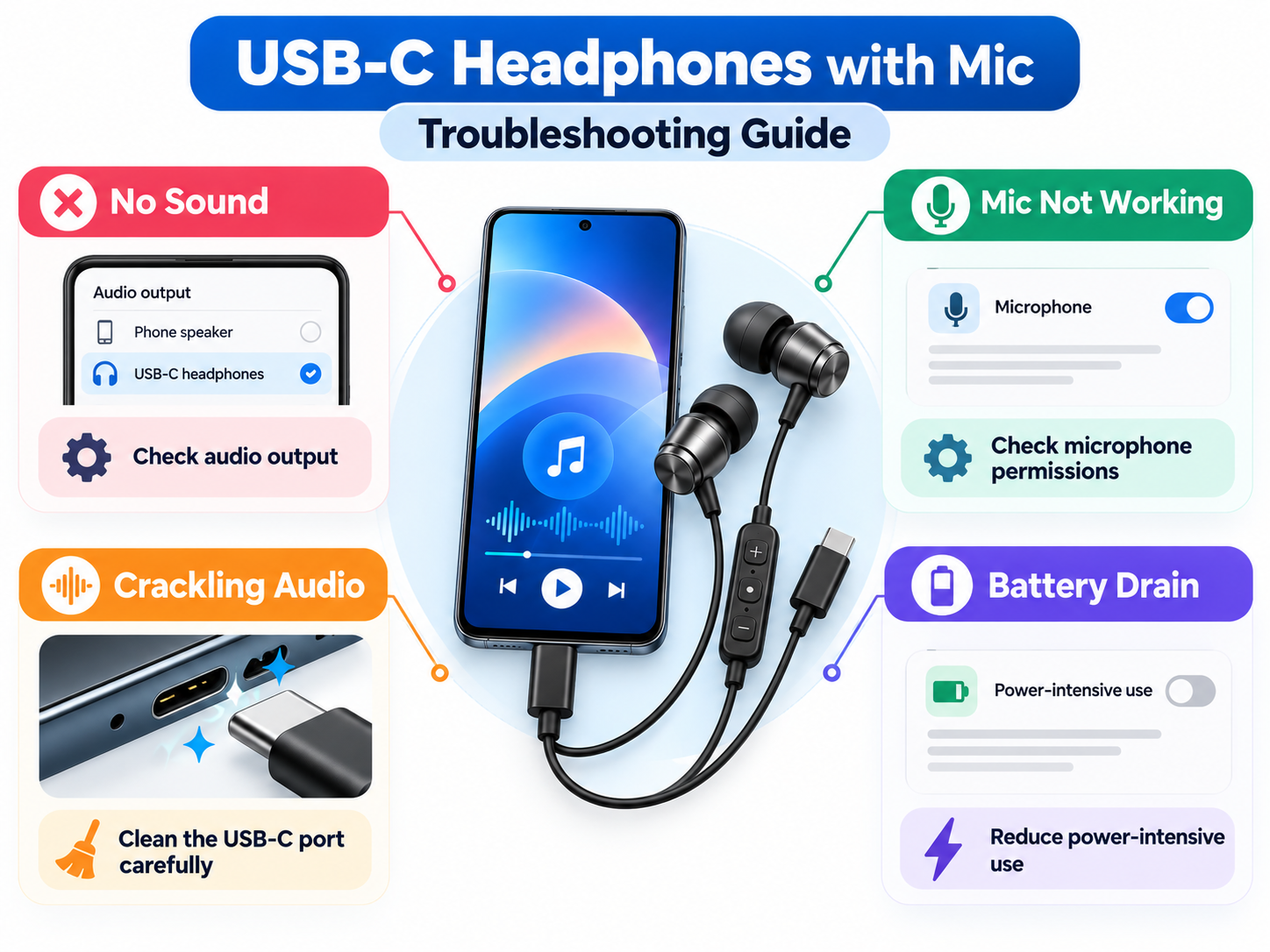
Even reliable USB-C audio gear can sometimes experience issues. Here are a few things you can try first:
* No sound at all: Make sure your phone isn’t sending audio to another device and try restarting it. If you still have no sound, your headphones may not work with your phone.
* Mic isn’t working: Check your app’s permissions to see if the calling or recording app can use the microphone. Also, make sure the plug is fully inserted.
* Crackling or low sound: Try gently cleaning the USB-C port with a dry, soft brush. Lint can build up and cause problems.
* The device overheats, or the battery drains quickly: This could be because your phone is powering the headphones. Try listening for shorter periods or use headphones that use less power.
Frequently Asked Questions
Q1: Do all Type C headphones work with every phone?
No, not all Type C headphones work with every phone. This depends on whether the headphones have a built-in DAC and whether your phone supports them. Check the compatibility list before purchasing.
Q2:Are USB-C headphones better than Bluetooth?
USB-C headphones aren’t always better; they’re just different. Wired USB-C headphones have less lag, don’t require charging, and deliver consistent audio. Bluetooth headphones allow you to move around more. The best choice depends on your daily habits.
Q3: Can I use Type C headphones with a microphone on a laptop?
Generally, yes. If your laptop has a USB-C port that supports audio, you can use Type C headphones with mic. Most newer laptops have this feature, but it’s a good idea to check your model first
Q4: Do Type C headphones drain your phone's battery?
Yes, but only slightly. The phone powers the DAC and the drivers in the headphones, so battery life is slightly impacted. For normal use, it’s much less than most people think.
Conclusion
With most phones lacking a 3.5mm jack, USB-C headphones have become the easiest wired option for music, calls, online classes, and gaming. Fortunately, finding the right pair is easy if you know what to look for. First, make sure the headphones are compatible with your device, since some pairs work with one phone but not another. Next, look for a built-in DAC, a microphone that suits your needs, and a comfortable design that you can wear for extended periods.
Consider your daily habits when choosing. If you typically take calls and listen to music on the go, a basic in-ear pair will do. For gaming or long meetings, a headset with a boom mic is a better option. If you prefer fewer cables or move around a lot, Bluetooth may be best. Both wired and wireless options can be useful, and many people use both.
Before buying, keep these tips in mind:
- Check that the headphones work with your specific phone or laptop model.
- Look for reviews from people who have actually used the mic during calls.
- Choose a reliable brand that offers a solid warranty, not one that will soon stop working.
If you follow these steps, your Type C headphones with mic will give you clear calls, consistent sound, and long battery life without worrying about battery life.